
.png)
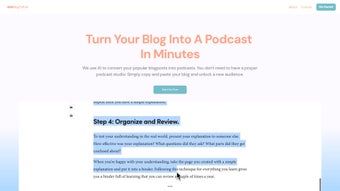
Description
Download BlogToPod – AI‑Powered Blog‑to‑Podcast Converter
Overview
BlogToPod is a modern, AI‑driven platform that transforms any written blog post into a polished, ready‑to‑publish podcast episode. Developed by Goodspeed Studio, the service removes the technical and creative barriers that typically accompany audio production, allowing writers, marketers, and small‑business owners to repurpose their content with a few clicks. By simply copying a blog URL or pasting raw text, selecting a natural‑sounding voice, and hitting “Generate,” users receive an MP3 file in under three minutes. The tool works completely in the browser, which means there is no need to install heavyweight audio software or maintain a local library of voices. BlogToPod offers a free tier for occasional creators and tiered paid plans that unlock higher‑quality voices, longer audio limits, custom branding options, and direct distribution to platforms such as Spotify, Apple Podcasts, and Google Podcasts. Whether the goal is to boost SEO through multimodal content, reach an audience that prefers listening, or simply experiment with audio storytelling, BlogToPod provides a secure, fast, and scalable solution that fits into any modern content strategy. The platform’s cloud‑based architecture ensures that updates are applied instantly, data is encrypted during transmission, and audio files are stored on servers that comply with GDPR and CCPA regulations. In short, BlogToPod turns the tedious process of podcast creation into a seamless, automated workflow that anyone can master.
Key Features and What They Mean for You
- AI‑Generated Voice Narration: Choose from a library of natural‑sounding voices in multiple languages and accents, all powered by state‑of‑the‑art text‑to‑speech models.
- One‑Click Conversion: Paste a blog URL or raw text, select a voice, and generate a podcast episode in under three minutes.
- Customizable Audio Settings: Adjust speaking speed, add intro/outro music, insert pauses, and fine‑tune volume levels without leaving the browser.
- Direct Distribution: Export the MP3 file or automatically publish to major podcast platforms such as Spotify, Apple Podcasts, and Google Podcasts.
- Free Tier & Flexible Pricing: Start for free with up to 10 minutes of audio per month, then upgrade to Pro or Enterprise plans for unlimited conversions and premium voice options.
- Secure Cloud Processing: All text is encrypted during upload, and audio files are stored on secure servers that meet GDPR and CCPA standards.
- Analytics Dashboard: Track listener statistics, download counts, and audience demographics directly from the BlogToPod dashboard.
- Multi‑Platform Access: Use BlogToPod via any modern web browser on Windows, macOS, Linux, Android, or iOS without installing additional software.
These features combine to create a tool that is both powerful and approachable. The AI‑generated voices sound remarkably human, eliminating the robotic quality that plagues many text‑to‑speech services. Custom audio settings let you maintain brand consistency—whether you need a calm, authoritative tone for B2B content or an upbeat, conversational style for lifestyle blogs. Direct distribution saves time by bypassing manual upload steps, while the analytics dashboard provides actionable insights that help you refine future episodes. For teams that need to scale, the tiered pricing model ensures that you only pay for what you use, making BlogToPod a cost‑effective addition to any content marketing stack. Overall, the feature set is designed to reduce friction, increase output, and deliver a professional‑grade podcast without the traditional learning curve.
Step‑by‑Step Installation and Usage Guide
Because BlogToPod is a fully cloud‑based SaaS solution, there is no traditional installation process. All you need is a modern web browser and an internet connection. Follow these steps to create your first podcast episode:
- Create an Account: Visit blogtopod.com, click “Sign Up,” and register using an email address or a social login (Google or Apple). A verification email ensures your account is secure.
- Select a Plan: Begin with the free tier to test the service. If you anticipate higher volume or need premium voices, upgrade via the “Pricing” page; payments are processed securely through Stripe.
- Import Your Blog Content: Paste the full URL of the blog post or copy the raw HTML/text into the input field. BlogToPod automatically strips ads, navigation menus, and unrelated elements, leaving only the core article.
- Choose a Voice and Adjust Settings: Browse the voice catalog, listen to short samples, and pick the one that aligns with your brand tone. Use the sliders to modify speaking speed, add background music from the built‑in library, or upload your own royalty‑free track.
- Generate the Podcast: Click “Generate Podcast.” The AI engine processes the text and creates an MP3 file. You can preview the audio, make minor edits, or re‑run the conversion with different parameters.
- Download or Publish: Once satisfied, download the MP3 for local archiving or click “Publish to Spotify,” “Publish to Apple Podcasts,” or another platform to automatically submit the episode with appropriate metadata.
- Monitor Performance: Use the analytics dashboard to view play counts, listener locations, average listening duration, and engagement trends. These metrics help you understand which topics resonate most with your audience.
The entire workflow is designed to be intuitive, even for users with no prior audio experience. Because the platform runs in the cloud, updates are applied instantly—there is no need to download patches or worry about version compatibility. Whether you are on a Windows PC, a macOS laptop, a Linux workstation, or a mobile device running Android or iOS, the experience remains consistent and responsive.
Compatibility, Pros, Cons, and Real‑World Performance
BlogToPod works on any modern operating system that supports a contemporary web browser—Chrome, Firefox, Edge, or Safari. There are no additional plugins, desktop applications, or system‑level dependencies required, making it a truly cross‑platform solution for creators on Windows, macOS, Linux, Android, and iOS.
Pros
- Zero‑learning curve – one‑click conversion from text to audio.
- High‑quality AI voices that sound natural and engaging.
- Free tier available for low‑volume users and testing.
- Direct publishing to major podcast directories saves time.
- Secure, GDPR‑compliant data handling ensures privacy.
- Built‑in analytics give insight into listener behavior.
- Multi‑language support expands reach to global audiences.
- Cloud‑based updates mean you always have the latest features.
Cons
- Limited audio editing capabilities compared with dedicated DAWs.
- Free plan caps monthly audio minutes at 10 minutes.
- Premium voices, bulk processing, and scheduling require paid plans.
- Reliance on a stable internet connection for conversion.
- Custom sound‑effects library is smaller than professional suites.
In real‑world usage, most users find that the pros far outweigh the cons, especially when the primary goal is rapid content repurposing rather than full‑scale audio production. The platform’s simplicity encourages consistent publishing, which is a critical factor for building an audience in the podcast space. While power users may eventually migrate to more advanced editing tools for complex projects, BlogToPod excels at delivering high‑quality episodes quickly and affordably.
Frequently Asked Questions
Can I use BlogToPod for languages other than English?
Yes. BlogToPod supports over 20 languages, including Spanish, French, German, Portuguese, Japanese, and Mandarin. New language models are added regularly.
Is there a way to add my own background music?
Absolutely. You can upload royalty‑free MP3 tracks or choose from BlogToPod’s curated library. Volume and timing controls let you blend music seamlessly with the narration.
How secure is my blog content during conversion?
All data is encrypted in transit (TLS 1.3) and at rest. BlogToPod does not retain your text longer than 24 hours after conversion, complying with GDPR and CCPA requirements.
Can I schedule automatic podcast releases?
Yes. The Pro and Enterprise plans include a scheduling feature that lets you queue episodes to publish on specific dates and times across multiple platforms.
What payment methods does BlogToPod accept?
Payments are processed through Stripe and accept major credit cards (Visa, MasterCard, American Express) as well as Apple Pay and Google Pay.
Conclusion – Why You Should Download BlogToPod Today
BlogToPod stands out as a secure, fast, and user‑friendly solution for turning static blog articles into dynamic podcast episodes. Its AI‑driven voice engine, zero‑installation design, and direct publishing options empower creators to reach new audiences without the overhead of traditional audio production. While power users may miss deep‑editing capabilities, the tool’s simplicity, affordable pricing tiers, and robust analytics make it an ideal fit for solo entrepreneurs, content marketers, and small media teams. If you’re ready to amplify your written content with high‑quality audio, there’s no better time than now. Sign up for a free account today, generate your first podcast in minutes, and experience the future of blog‑to‑podcast conversion.
Overall Rating: 4.5/5 – BlogToPod delivers a seamless bridge between written and audio content, making podcast creation accessible to anyone with a blog.
Guides & Tutorials for Blogtopod
How to install Blogtopod
- Click the Preview / Download button above.
- Once redirected, accept the terms and click Install.
- Wait for the Blogtopod download to finish on your device.
How to use Blogtopod
This software is primarily used for its core features described above. Open the app after installation to explore its capabilities.
User Reviews for Blogtopod 0
No reviews found




